
FRAMER AI
Framer empowers designers to create production-ready websites with unprecedented speed and creative freedom. By merging the best of design tools and website builders, it eliminates the traditional handoff between design and development—letting you design, prototype, and publish in one seamless workflow.
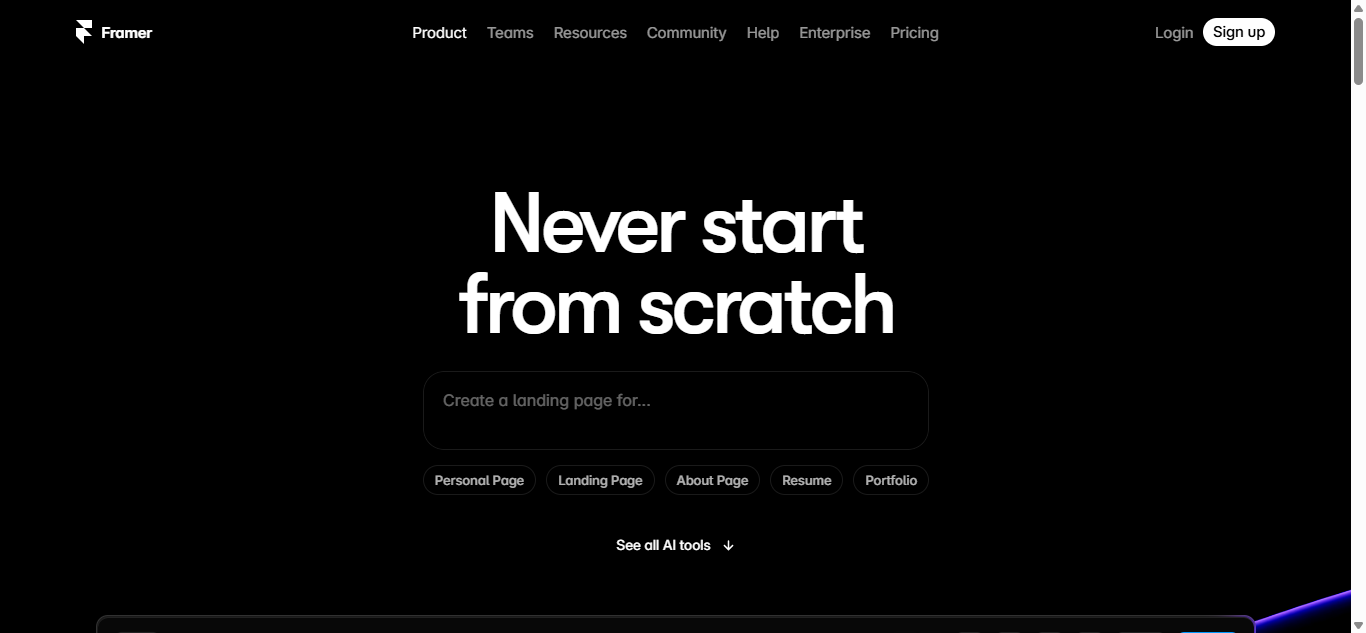
Introduction
In the fast-evolving digital landscape, Framer is redefining how designers and teams create stunning, interactive websites—without writing code. Combining the power of professional design tools with the simplicity of drag-and-drop builders, Framer bridges the gap between prototypes and production-ready sites.
Why Framer Stands Out
Framer transforms web design with these key advantages:
🎨 Designer-Friendly – Intuitive interface for Figma/XD users
⚡ Instant Publishing – Hosting included, launch in minutes
🖱️ Advanced Interactivity – Micro-animations & scroll effects
📱 Fully Responsive – Auto-adapts to all devices
🤖 AI-Powered Features – Generate copy, layouts & more
Key Features That Make Framer Essential
1. Visual Web Design
Canvas-based editor (like Figma)
Flexbox & auto-layout for responsive design
1000+ customizable templates
2. No-Code Interactions
Scroll-triggered animations
Click/tap/hover interactions
Page transitions & parallax effects
3. Built-in CMS
Dynamic content for blogs/portfolios
Collection views for repeating elements
Easy content updates
4. AI-Assisted Creation
AI-generated site copy
Layout suggestions
Image enhancement
5. Enterprise-Grade Hosting
Global CDN & fast loading
Custom domains & SSL
Password protection
Who Needs Framer?
1. Designers & Agencies
Client websites without dev dependency
High-fidelity prototypes that become real sites
Portfolio showcases
2. Startups & SMBs
Launch marketing sites fast
Iterate without coding
Affordable alternative to Webflow
3. Product Teams
Interactive feature demos
User testing with real interactions
Design system documentation
4. Content Creators
Beautiful blogs/newsletters
Link-in-bio pages
Digital storefronts
Framer Pricing Options
| Plan | Price | Features | Best For |
|---|---|---|---|
| Free | $0 | Basic sites, Framer branding | Testing |
| Mini | $10/month | 1 custom domain, 1K visits | Personal |
| Basic | $20/month | 10K visits, CMS | Freelancers |
| Pro | $30/month | 100K visits, team collaboration | Agencies |
| Enterprise | Custom | Unlimited, SSO | Large teams |
Framer vs. Alternatives
| Feature | Framer | Webflow | Squarespace |
|---|---|---|---|
| Design Freedom | ✅✅ | ✅✅ | ❌ |
| Interactivity | ✅✅ | ✅ | ❌ |
| Learning Curve | Medium | Steep | Easy |
| AI Features | ✅ | ❌ | ❌ |
✅ Framer Advantages:
✔ Best animation capabilities
✔ Seamless Figma integration
✔ Affordable for professionals
❌ Limitations:
Limited e-commerce features
Complex logic requires code
Getting Started with Framer
1️⃣ Import Figma designs or start from template
2️⃣ Build pages with drag-and-drop
3️⃣ Add interactions without code
4️⃣ Publish instantly with Framer hosting
Success Stories
🏆 Dropbox Design Team
“We prototype and ship marketing pages 3x faster with Framer.”
🚀 Indie Founder
“Launched my SaaS landing page in one afternoon—no developer needed.”
Framer Ecosystem
Template Market – Premium designs
Plugin Library – Extend functionality
Community – 500K+ designers
Frequently Asked Questions
1. Can I use my own domain?
Yes, on all paid plans.
2. Is there SEO support?
Full control over meta tags & sitemaps.
3. Can I export code?
No—Framer is optimized for hosted sites.
4. How’s the Figma integration?
Copy-paste layers or import entire files.
5. What about mobile apps?
Web-only, but perfect responsive output.
Conclusion
Framer empowers designers to create production-ready websites with unprecedented speed and creative freedom. By merging the best of design tools and website builders, it eliminates the traditional handoff between design and development—letting you design, prototype, and publish in one seamless workflow.