
VISLA AI
Visla represents the future of video creation—where AI handles the heavy lifting while humans focus on storytelling. By democratizing professional-quality video production, it empowers anyone to create engaging visual content without technical expertise or large budgets.
Introduction
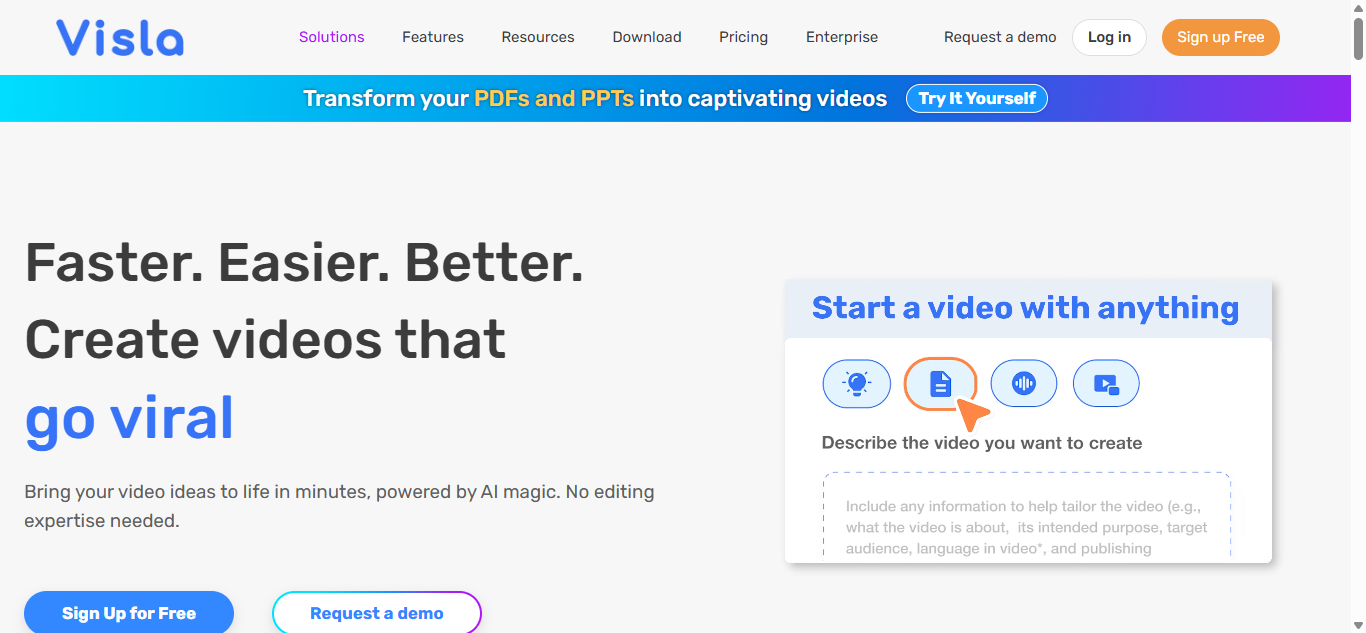
Visla is revolutionizing video production by combining AI-powered creation tools with intuitive editing for professionals and beginners alike. This next-generation platform transforms scripts, ideas, and raw footage into polished videos in minutes—not hours.
Why Creators Choose Visla
🎥 AI Video Generation – Create videos from text prompts in seconds
✂️ Smart Editing – Intuitive tools powered by machine learning
🌐 Stock Library – Access to millions of licensed assets
🤝 Team Collaboration – Real-time co-editing and feedback
🚀 Instant Publishing – Optimized outputs for all platforms
Key Features
1. AI Video Creation
Script-to-Video (Automated scene generation)
Voice Clone (Custom AI voices in 50+ languages)
Smart Resizing (Auto-adapt for different platforms)
Style Transfer (Apply consistent visual themes)
2. Professional Editing
Auto-Captions (Accurate transcription with styling)
B-Roll Suggest (AI-recommended supplemental clips)
Color Correction (One-click professional grading)
Audio Enhancement (Clean up poor recordings)
3. Asset Management
Media Library (Curated stock footage/photos)
Template Marketplace (Industry-specific designs)
Brand Kits (Save logos, colors, and fonts)
Version History (Track all changes)
4. Collaboration Tools
Shared Workspaces (Organize projects by team)
Comment Timestamps (Frame-specific feedback)
Approval Workflows (Client review system)
Usage Analytics (Track video performance)
Who Uses Visla?
1. Marketing Teams
✓ Create campaign videos 10x faster
✓ Maintain brand consistency
✓ Repurpose content across channels
2. Content Creators
✓ Produce daily videos without filming
✓ Enhance existing footage with AI
✓ Grow audience with optimized content
3. Educators
✓ Transform lessons into engaging videos
✓ Create accessible content with captions
✓ Develop consistent course materials
4. Business Communicators
✓ Turn presentations into videos
✓ Produce professional training materials
✓ Share company updates compellingly
Pricing Options
| Plan | Price | Best For |
|---|---|---|
| Starter | Free | Basic video creation |
| Pro | $29/month | Regular content creators |
| Teams | $99/month | Marketing & media teams |
| Enterprise | Custom | Large organizations |
Visla vs Alternatives
| Feature | Visla | Synthesia | Pictory |
|---|---|---|---|
| AI Generation | ✅✅ | ✅✅ | ✅ |
| Editing Tools | ✅✅ | ❌ | ✅ |
| Collaboration | ✅✅ | ❌ | ❌ |
| Asset Library | ✅✅ | ❌ | ✅ |
✅ Visla Advantages:
✔ Best combination of AI generation and editing
✔ Superior collaboration features
✔ Most comprehensive asset library
❌ Limitations:
Advanced features require learning
Limited 3D avatar options
Getting Started
1️⃣ Describe Your Video (Text prompt or script)
2️⃣ Customize AI Output (Edit scenes and flow)
3️⃣ Enhance with Assets (Add stock or your media)
4️⃣ Publish & Share (Export or share directly)
Success Stories
📈 E-commerce Brand – “Increased conversions by 35% with product videos”
🎓 Online Educator – “10x video output without additional filming”
Ecosystem
iOS/Android Apps
Chrome Extension
Slack Integration
API for Developers
FAQ
Q: How does AI video generation work?
A: Input text prompts to automatically generate scenes with matching visuals and narration.
Q: Can I use my own footage?
A: Yes, blend AI-generated content with your own media seamlessly.
Q: Is there a watermark?
A: Only on free plan – removed in all paid plans.
Q: How is this different from Canva Video?
A: More advanced AI features, better editing tools, and professional-grade outputs.
Conclusion
Visla represents the future of video creation—where AI handles the heavy lifting while humans focus on storytelling. By democratizing professional-quality video production, it empowers anyone to create engaging visual content without technical expertise or large budgets.